API tokens
Create, scope and revoke the sseo_ tokens that authenticate the REST API and the MCP server. Tokens act for the whole organization with the creator's rights.
API tokens are the keys for the REST API and the MCP server. One token gives a script or an AI agent the ability to run every research tool and read job results on behalf of your organization. You create them under Settings › API & MCP, see each one's last use, and revoke them the moment they are no longer needed.
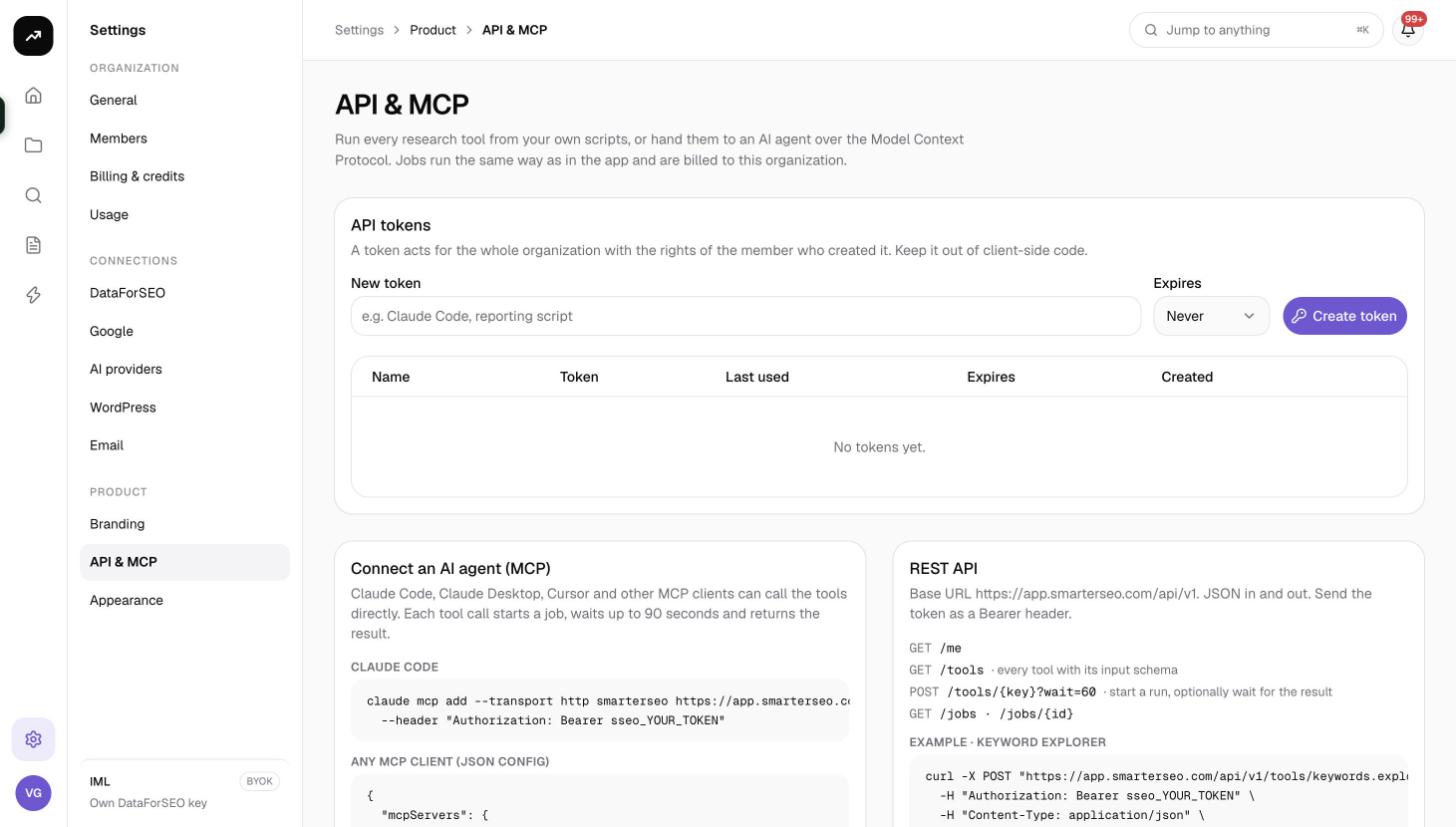
What a token is
The page explains the model in one line: "A token acts for the whole organization with the rights of the member who created it. Keep it out of client-side code." Three consequences follow:
- Organization scope. A token is not tied to a project. Anything started with it is billed to the organization's credits and appears in the organization's Jobs and Reports pages.
- Creator's rights. The token can do what its creator can do. A token created by an admin can run every tool; if the creator's role is later reduced or the member is removed, the token is reduced or stops working with them.
- Secret. Anyone holding the token can spend your credits. Treat it like a password: server-side only, in environment variables or a secrets manager, never in a browser bundle or a public repository.
Cost: Creating tokens is free. Each tool run started through the API or MCP costs the same credits as the same run in the app and is checked against the balance first.
Before you start
- Only Owners and Admins can create and revoke tokens.
- Decide what the token is for and give it a descriptive name; the name is the only way to tell tokens apart later.
Creating a token
- Open Settings › API & MCP.
- In the API tokens card click New token.
- Enter a name, for example "Claude Code" or "reporting script".
- Choose Expires: Never, In 30 days, In 90 days or In a year. Expiring tokens are safer for one-off integrations; Never suits a long-lived server integration you rotate yourself.
- Click Create token.
- Copy the token from the confirmation: "Token for "{name}". Copy it now; it is not shown again." Store it immediately. If you lose it, revoke it and create a new one.
Tokens look like sseo_ followed by 48 hexadecimal characters. SmarterSEO stores only a hash, which is why it cannot show the token again.
Scopes
Every token carries two scopes:
| Scope | Allows |
|---|---|
tools:run |
Starting tool runs through POST /tools/{key} and through MCP tool calls. |
jobs:read |
Reading jobs and results through GET /jobs, GET /jobs/{id}, get_job and list_jobs. |
GET /me returns the token's scopes along with the organization so a script can confirm what it holds.
The tokens table
| Column | Meaning |
|---|---|
| Name | The label you gave it. |
| Token | The sseo_ prefix and the first characters, enough to match it against a value in your configuration. |
| Last used | When the token last authenticated a request, updated at most once a minute. A token that has not been used in months is a candidate for revocation. |
| Expires | The expiry date, or never. An expired token is refused with a 401. |
| Created | When it was created. |
Revoke sits on each row. The confirmation warns: "Anything using it stops working immediately." Revocation cannot be undone; create a new token for the integration afterwards.
Using a token
- REST: send it as a header,
Authorization: Bearer sseo_…. The query parameter?api_key=sseo_…also works for tools that cannot set headers, but headers are preferred because URLs end up in logs. See REST API. - MCP: the same header in the client's configuration. See MCP server.
A missing, revoked or expired token returns HTTP 401 with the body {"error":{"code":"unauthorized"}} and the hint "Missing or invalid API token. Send it as Authorization: Bearer sseo_…."
Tips and gotchas
Tip: Create one token per integration (one for Claude Code, one for the reporting script, one per client automation). When something leaks or a contractor leaves, you revoke exactly one thing.
Warning: Because a token spends the organization's credits, a leaked token can drain the balance. Rotate tokens that live on shared machines, and prefer In 90 days over Never for anything experimental.
- A token made by a member who later becomes a Viewer can no longer start runs, since Viewers cannot run tools.
- Tokens do not expose billing, members or settings. The API surface is tools and jobs only.