AI search trackers
Ask ChatGPT, Gemini, Perplexity and Google AI Mode your customers' questions on a schedule and track how often your brand is mentioned, named first and cited.
An AI search tracker is the rank tracker for AI answers. You write the prompts your customers would ask, pick the engines, and every run puts each prompt to each engine and records whether your brand was mentioned, where it was named relative to competitors, and whether your site was cited as a source. Trackers live inside a project under Rank tracking › AI search.
What it does
Each check asks every prompt once per engine and stores the full answer. Two headline metrics come out of it:
- Visibility: the share of answers that mention any of your brand names (matched as whole words).
- Cited: the share of answers in which at least one citation URL is on your domain or a subdomain.
It also records your position, the order in which you were named among the tracked brands (1 means you were named before every tracked competitor), and lists every brand and domain found in the answers so you can see who AI engines favour instead.
Answers are fresh every run; nothing is served from a cache, because the point is to see change over time.
Before you start
- Open the project the brand belongs to. Trackers inherit the project's brand names by default.
- You need a role that can create trackers; viewers see Viewers can't create trackers.
- Write prompts the way a person would ask: full questions, not keyword strings. "What is the best standing desk under $500?" works; "standing desk" does not.
- Estimate the cost: prompts × engines × 4 credits per run. Fifty prompts on all four engines is 800 credits per weekly run.
- Google AI Mode answers only in English markets. If you pick a non-English language with AI Mode ticked, the form warns you that those prompts will fail.
Step by step
In the project, open Rank tracking and then AI search (
/p/<project>/rankings/llm). Click New tracker; the dialog is titled New AI search tracker.1 · Your brand
- Brand names: up to 10. The first is shown as your brand; the others are alternative spellings that also count as a mention. Pre-filled from the project.
- Domain: "An answer counts as a citation when it links to this domain or a subdomain."
- Competitors (optional): up to 10 brand names. They are used for mention order and the Competitors tab.
2 · Engines and market: all four engines are ticked by default.
Engine What is asked ChatGPT GPT-4o mini with web search on; cites sources. Gemini Gemini 2.5 Flash with Google grounding; cites sources. Perplexity Sonar; always searches the web and cites sources. Google AI Mode Google's AI answer for the market; English markets only. Set Market (default United States) and Language. The dialog notes that "Prompts are sent exactly as written."
3 · Prompts: paste up to 200 prompts, one per line, 3 to 500 characters each.
4 · Schedule: the default is weekly at 06:00 UTC. Choose the cadence, start hour and timezone. Leave Run the first check now on to get a baseline immediately, and give the tracker a Name (optional).
Review the cost line (prompts × engines × 4 credits) and create the tracker. The first check runs straight away if you left the switch on.
Reading the results
Tracker list
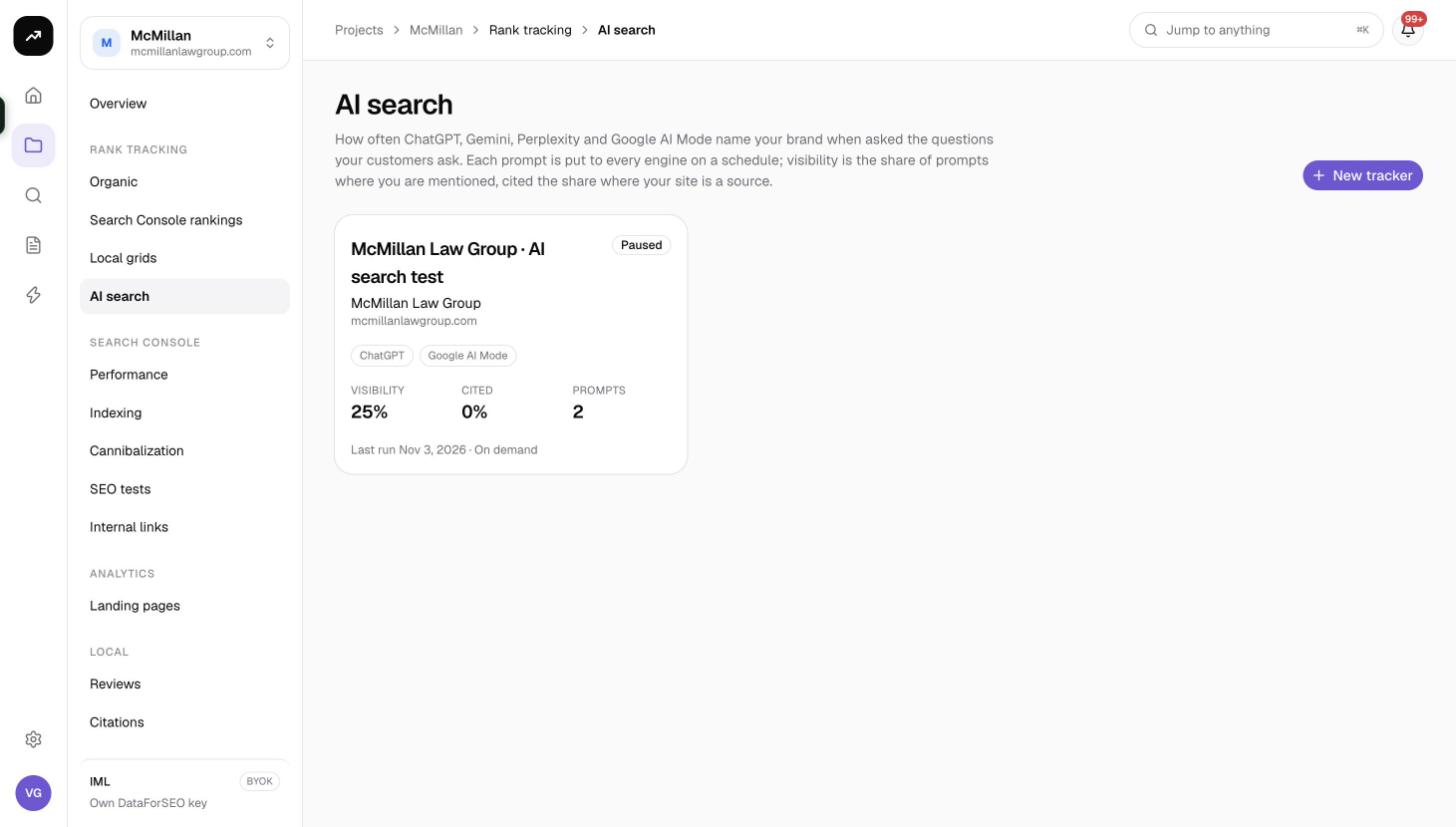
Each tracker is a card with its Visibility %, Cited %, number of Prompts, the engines, the last run and the schedule.
Overview tab
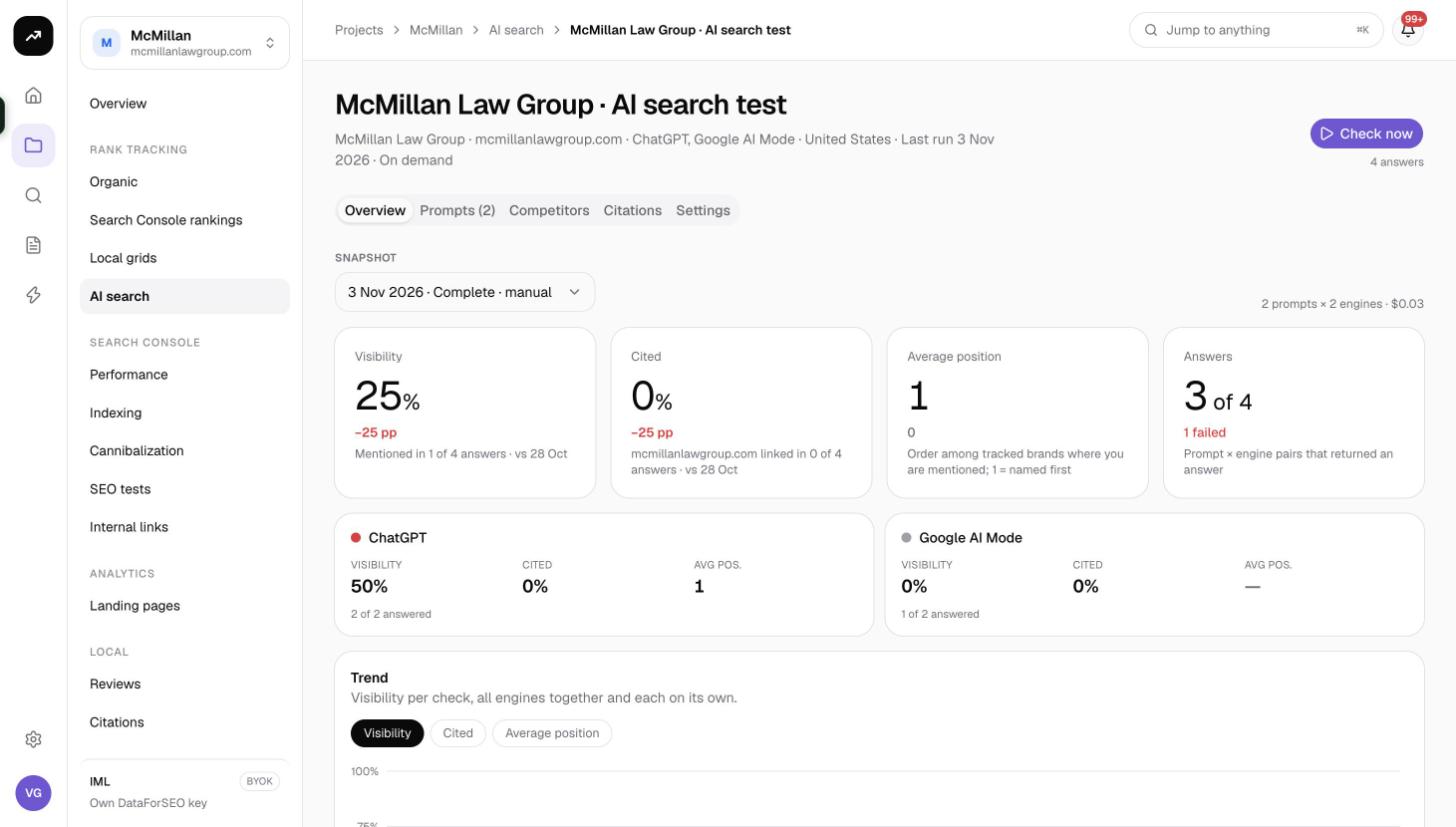
- Check now runs an unscheduled check and shows what it will cost: "N answers · about X credits".
- The Snapshot picker lists every run as date · status · manual or scheduled, so you can look back at an earlier check.
- A line reads "N prompts × N engines · X credits" for the selected snapshot.
- Tiles: Visibility (with the change in percentage points since the previous run), Cited, Average position ("1 = named first") and Answers (N of M received, with the number that failed).
- One card per engine with its own Visibility, Cited and Avg pos, so you can see which engine knows you and which does not.
- Trend chart with a metric toggle, Visibility, Cited or Average position, plotting all engines together and each engine separately over time.
Prompts tab
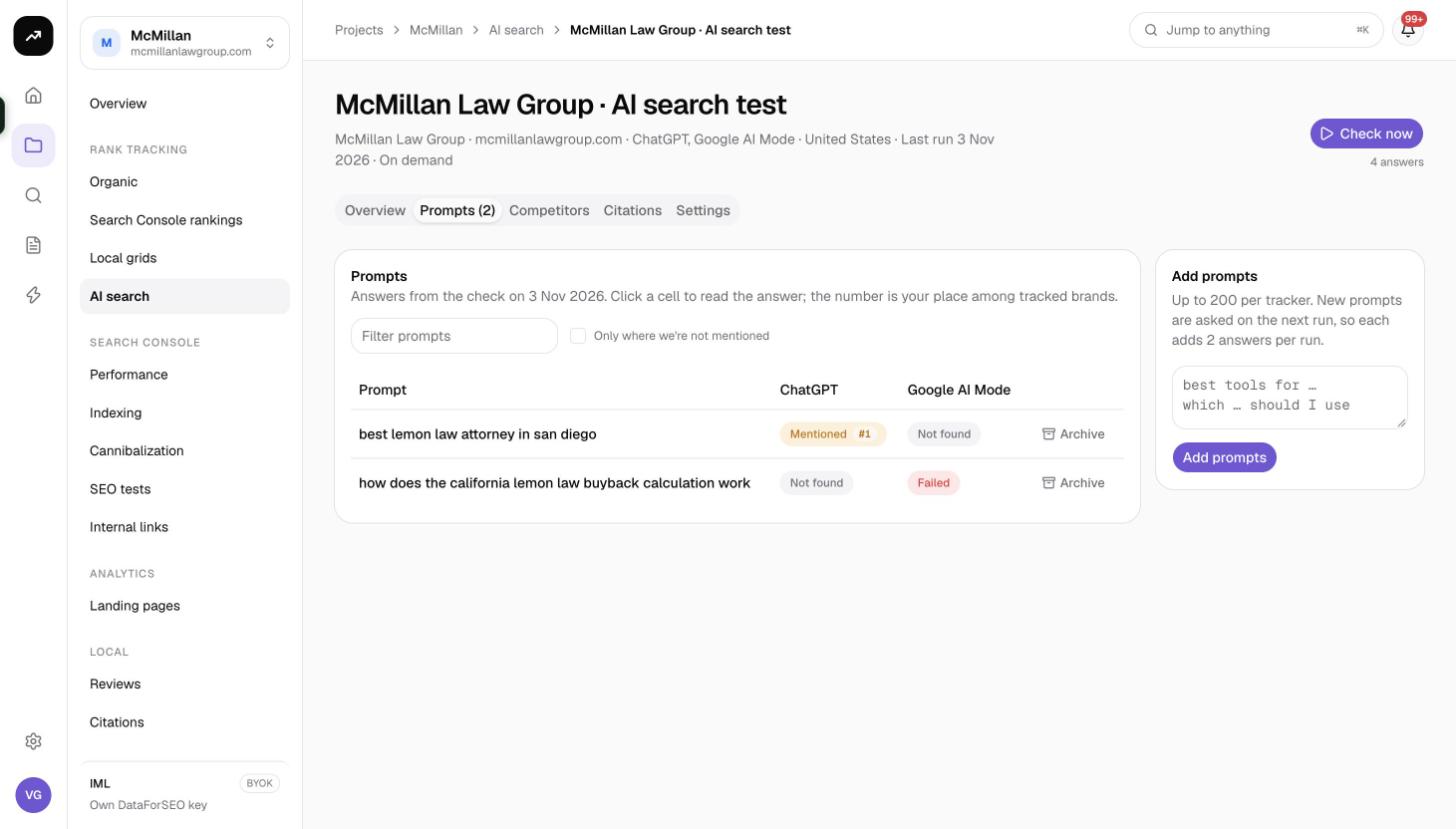
A grid of prompts (rows) by engines (columns). Each cell reads Cited, Mentioned #N, Not found or Failed. Type in the filter to find a prompt, or tick Only where we're not mentioned to focus on the gaps. From the row menu you can Archive a prompt. Add prompts appends new ones; they are asked from the next run.
Click any cell to open the answer panel: the prompt, engine · model · date, badges Mentioned #N or Not mentioned and Cited or Not cited, the answer text with your brand and competitors highlighted, Citations (N) with a You badge on your own URLs, and a Brands in this answer table (Brand, Named #, Mentions).
Competitors tab
Brands in the answers: one row per tracked brand with Mentioned %, Named first, Avg position and Cited. Below it, a Mention share bar chart gives the share of voice across you and the competitors.
Citations tab
Cited sources: every domain cited in the snapshot with Citations and Prompts counts. Your own domain is highlighted. This is the list of sites AI engines trust for your topics.
Settings tab
Market and language are fixed after creation. You can edit the name, Brand names, Domain, Competitors, the engines ("Engines added here are asked from the next run") and the schedule. Changing brand names, competitors or the domain re-checks every stored answer at no cost: "Saved. Past answers were re-checked against the new names." Delete asks you to type the tracker name.
Sharing
An AI search tracker can be shared with a client as a read-only link from Client sharing. The share page shows every tab except Settings and hides all costs.
Costs
Cost: 4 credits per answer, so each run costs prompts × engines × 4. A 20-prompt tracker on all four engines is 320 credits per run. On a lifetime license, answers are generated with your own API keys at roughly $0.01 to $0.03 each.
Scheduled runs are charged at the time they run. If the organisation does not have enough credits when a scheduled check is due, the run is skipped and you receive an in-app notification; the tracker is not paused and tries again at the next scheduled time. Buy credits or lower the prompt count to resume.
Tips and gotchas
- Credit or credential errors abort the whole run. Any other error (an engine timing out, for instance) marks only that answer as Failed and the rest of the run completes.
- Mentions are whole-word matches. Add every spelling and abbreviation of your brand to Brand names; a brand written as one word in prose will not match a two-word name.
- The web search country follows the market for ChatGPT, Perplexity and AI Mode, but not for Gemini.
- Answers are capped at 1,024 output tokens, so a very long answer may be cut before a late mention.
- New prompts and new engines are only asked from the next run. Past snapshots are not re-run; brand-name edits are the exception and are applied retroactively.
- Long checks (hundreds of prompts) continue in follow-up workers; the page updates when they finish, and the notification reads "{name}: AI search check complete · Mentioned in X of Y answers · cited in Z".
- An automation can react to the AI search check finished event to email or webhook the result.