Backlink analytics
The backlink profile of any domain, with rank, referring domains, anchors, link types, geography, twelve months of history and the sites that compete for the same links.
Backlink analytics (the Profile tool) shows who links to a domain and how. One run returns the domain's authority, its referring domains and backlinks, the anchors people use, the mix of link types and attributes, where the links come from, how the profile has grown over the last year, and the domains that compete for the same links. You choose how many backlinks to collect, from the strongest 100 up to 5,000.
What it does
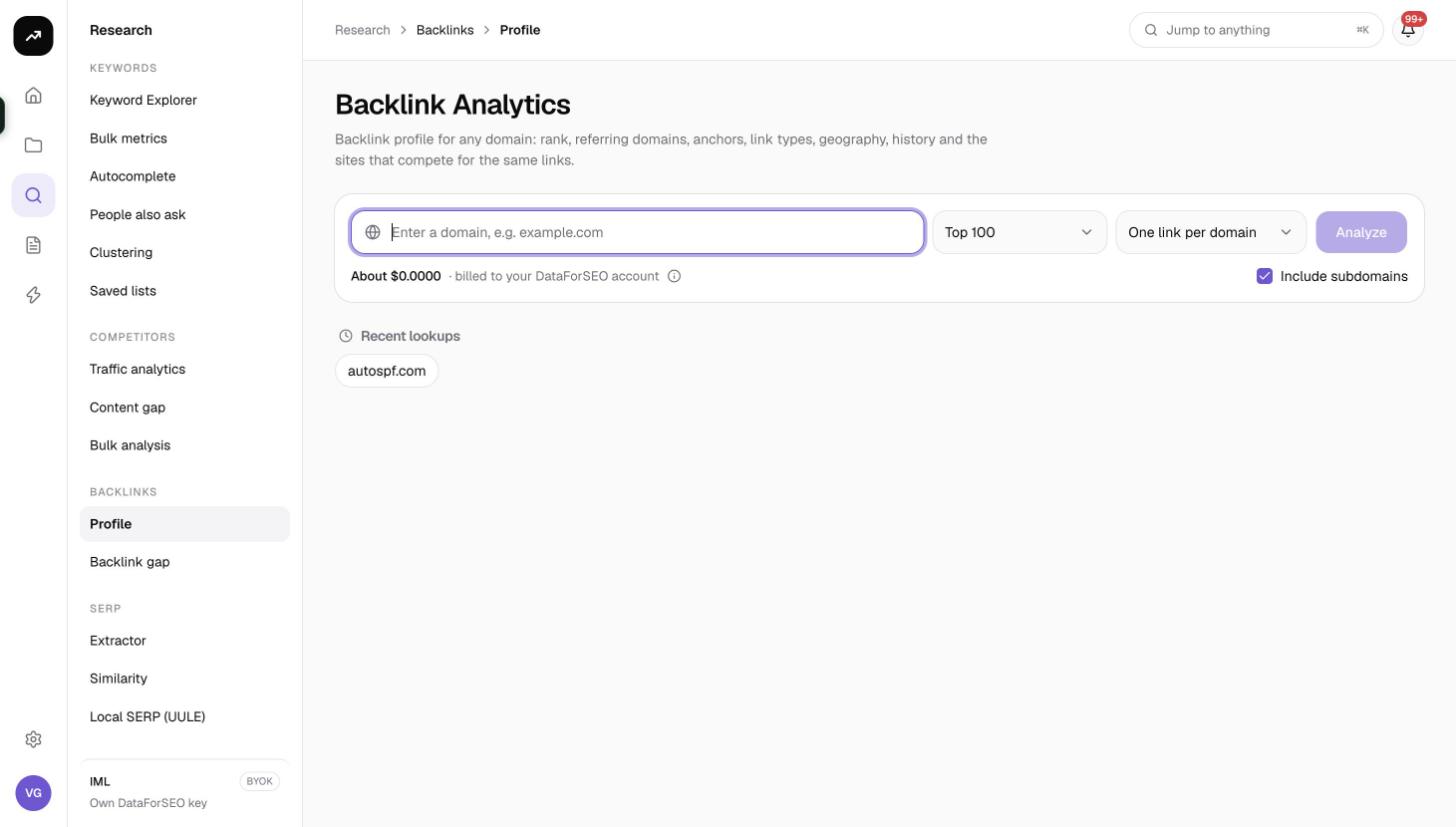
Enter a domain and click Analyze. SmarterSEO fetches a summary of the backlink profile, the list of live backlinks at the depth you chose (in pages of 1,000), up to 1,000 referring domains, the top 50 anchors, 20 competing domains and 12 months of history. Only live links are included; links that have disappeared are not counted. Everything is gathered in one run and shown on a single page with five tabs.
Before you start
- One domain per run. Enter it as "example.com". There are no Market or Language pickers because backlink data is global.
- Backlinks to collect sets how many links the Backlinks tab holds and drives most of the price:
| Option | Links collected | Credits |
|---|---|---|
| Top 100 (default) | The 100 strongest | 44 |
| Top 500 | 500 | 44 |
| Top 1,000 | 1,000 | 44 |
| Top 2,500 | 2,500 | 64 |
| Up to 5,000 (max) | 5,000 | 84 |
- Which links decides what counts as one row:
- One link per domain (default): "The strongest link from each referring domain." Best for judging the breadth of a profile.
- Every link: "All links, several per domain where a site links more than once." Best when you need the full picture of a sitewide or footer link.
- Include subdomains is on by default, so links to blog.example.com count towards example.com. Turn it off to analyse the exact host only.
- Role and credits. Viewers cannot run tools. The button is disabled if the estimate exceeds the balance. The estimate updates as you change the depth.
Step by step
- Open Research and choose Backlink analytics in the Backlinks group (
/research/backlinks/profile). - Type the domain in the box labelled "Enter a domain, e.g. example.com".
- Pick a depth under Backlinks to collect. Start with Top 100 to get the overview and tiles cheaply; rerun at a higher depth when you need the list.
- Choose Which links: One link per domain or Every link.
- Leave Include subdomains on unless you want a single host.
- Check the cost line and click Analyze.
- The results page shows the status badge while the data is collected; deeper runs take longer because each page of 1,000 links is a separate request. When the badge reads Ready, the tiles and tabs fill in. The URL is the permanent link to this run.
Without a result open, the page shows up to eight Recent lookups chips.
Reading the results
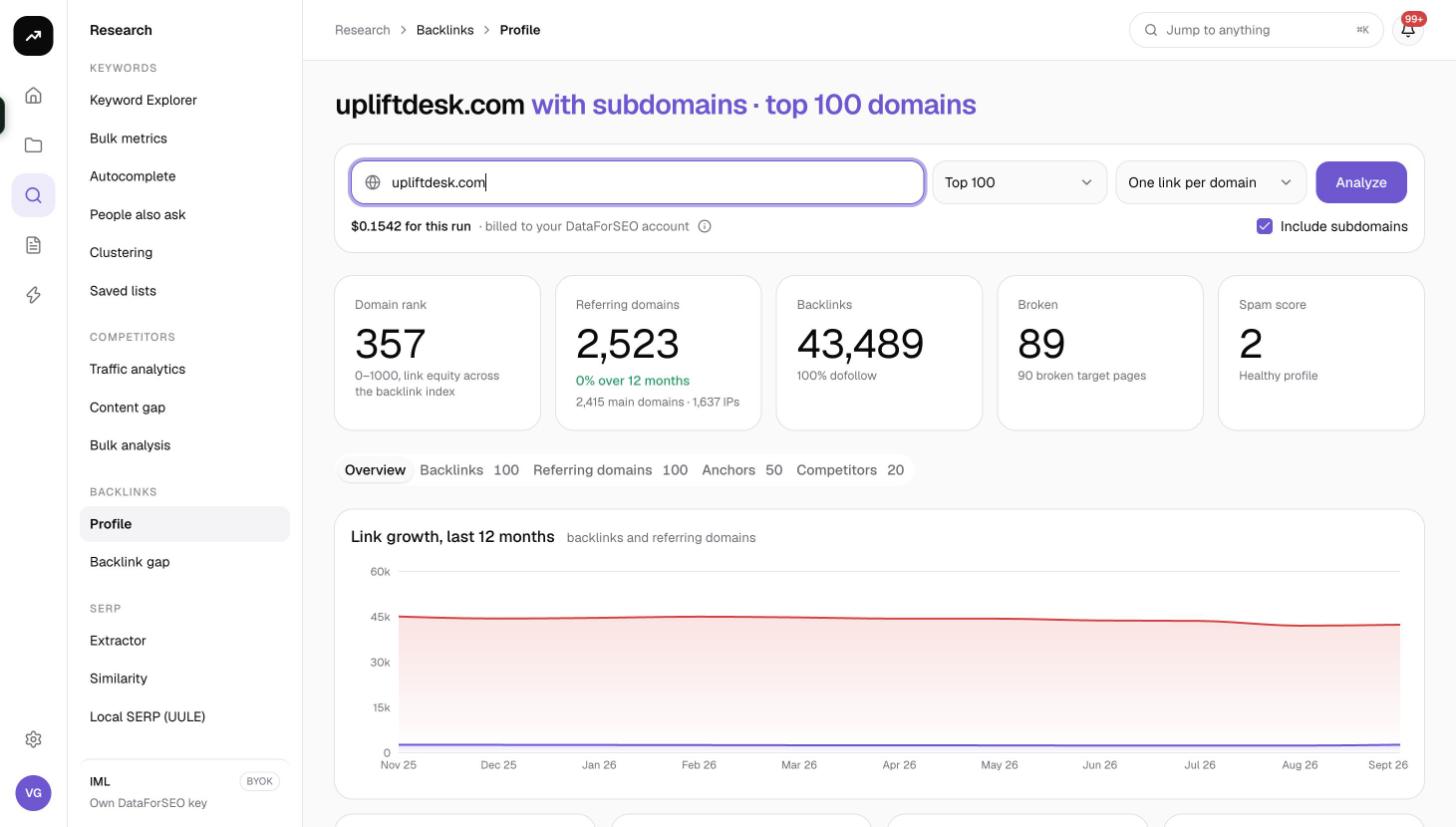
Tiles
- Domain rank: authority on a 0 to 1,000 scale, described as link equity across the backlink index.
- Referring domains: the number of distinct domains linking in, with the percentage change over 12 months and, underneath, the count of main domains and of distinct IPs.
- Backlinks: total live backlinks in the index, with the percentage that are dofollow.
- Broken: backlinks that point to pages which no longer resolve, with the number of broken target pages. These are reclaim opportunities for your own site and weaknesses in a competitor's.
- Spam score: 0 to 100. Below 30 reads Healthy profile, 30 to 59 Watch for toxic links, 60 and above High risk.
Overview tab
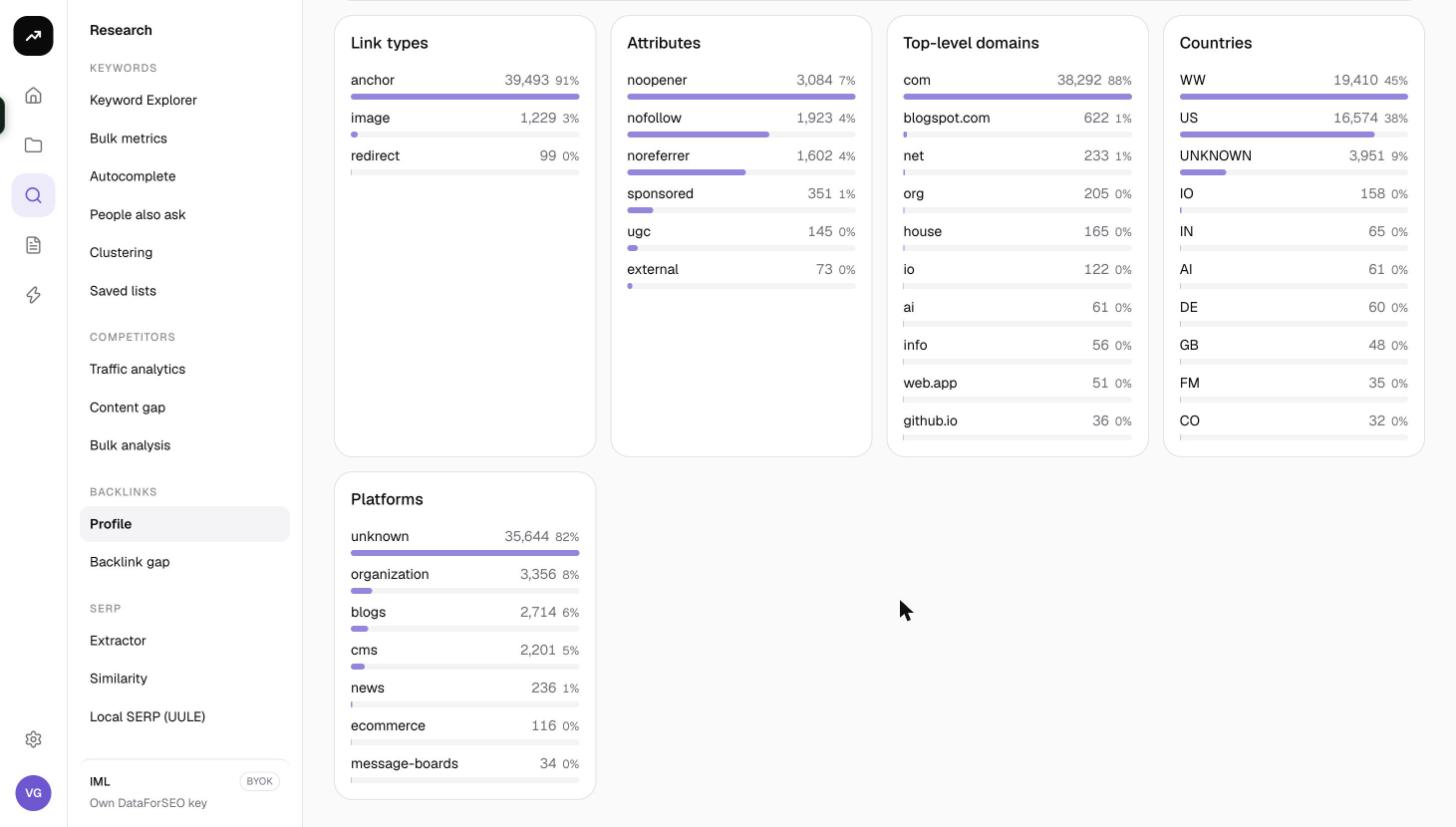
- Link growth, last 12 months charts referring domains and backlinks month by month, so you can spot campaigns, drops and sudden spikes that may indicate spam.
- Five bar lists break the profile down: Link types (anchor, image, redirect and so on), Attributes (dofollow, nofollow, sponsored, UGC), Top-level domains, Countries and Platforms (the CMS or platform of the linking sites).
Backlinks tab
The links you collected, one per row:
| Column | Meaning |
|---|---|
| Referring page | The page that carries the link, with its title |
| Anchor | The anchor text, or the image alt text for image links |
| Links to | The page on the target domain that receives the link |
| DR | The referring domain's rank |
| Follow | Whether the link is dofollow or nofollow |
| First seen | When the link was first found |
A line above the table explains exactly what you are looking at, for example "one link per referring domain, the strongest 100 of 2,340 referring domains. Rerun with a higher depth for more." or, in Every link mode, "every link, all 1,440 links the list returns". Use Filter by domain or anchor to narrow the rows, and CSV to download them with the columns url_from, page_title, anchor, url_to, domain_rank, page_rank, dofollow, type, first_seen and last_seen.
The Backlinks tab starts by showing 100 rows. Click Show more · X of Y at the bottom to reveal 500 more at a time until all collected links are visible. The CSV always contains every collected (and filtered) row, not only the ones shown.
Referring domains tab
Up to 1,000 linking domains: Domain, DR, Backlinks (how many links from that domain), Pages (how many of its pages link), Spam and First seen.
Anchors tab
The top 50 anchor texts with Anchor text, Backlinks, Referring domains and Dofollow %. A profile dominated by exact-match commercial anchors is a warning sign; a natural profile is led by brand and URL anchors.
Competitors tab
Up to 20 domains that share referring domains with the target: Domain, Shared referring domains and DR. These are the sites to run through Backlink gap.
Costs
Cost: 44 credits at Top 100, Top 500 and Top 1,000. Each extra page of 1,000 links adds 10 credits, so Top 2,500 is 64 credits and Up to 5,000 (max) is 84. Backlink data is cached for 7 days, so repeating the same domain and settings within a week is free.
The figure shown before the run is an estimate; the actual charge is the measured cost, and the results page shows "N credits for this run".
Tips and gotchas
- The summary can count more than the list. The Backlinks tile is an aggregate from the index and can run higher than the number of links the list returns, for example 1,739 in the tile against 1,440 rows at full depth. When that happens the Backlinks tab says "(the summary's N is an aggregate and can count more)". Treat the tile as the index-wide figure and the list as what you can actually inspect.
- Top 100 is a sample. With one link per domain and 2,000 referring domains, Top 100 shows the strongest 100 of 2,000. The coverage line tells you how much you are missing and ends with "Rerun with a higher depth for more."
- Depth only changes the Backlinks tab. The tiles, Overview, Anchors and Competitors tabs come from the summary and are the same at every depth. Pay for depth only when you need the link list itself.
- Mode changes what the list counts. In One link per domain the coverage is measured against referring domains; in Every link it is measured against total links. Switching modes within 7 days re-uses the cached summary.
- Runs before 8 November 2026 were always collected at Top 100 with one link per domain, whatever the recent lookup chip shows.
- Use Broken as a to-do list. For your own domain, filter the Backlinks tab by the broken target page and set up redirects to recover the links.