Bulk analysis
Rank, backlinks, referring domains, spam score and organic traffic for up to 1,000 domains in one pass.
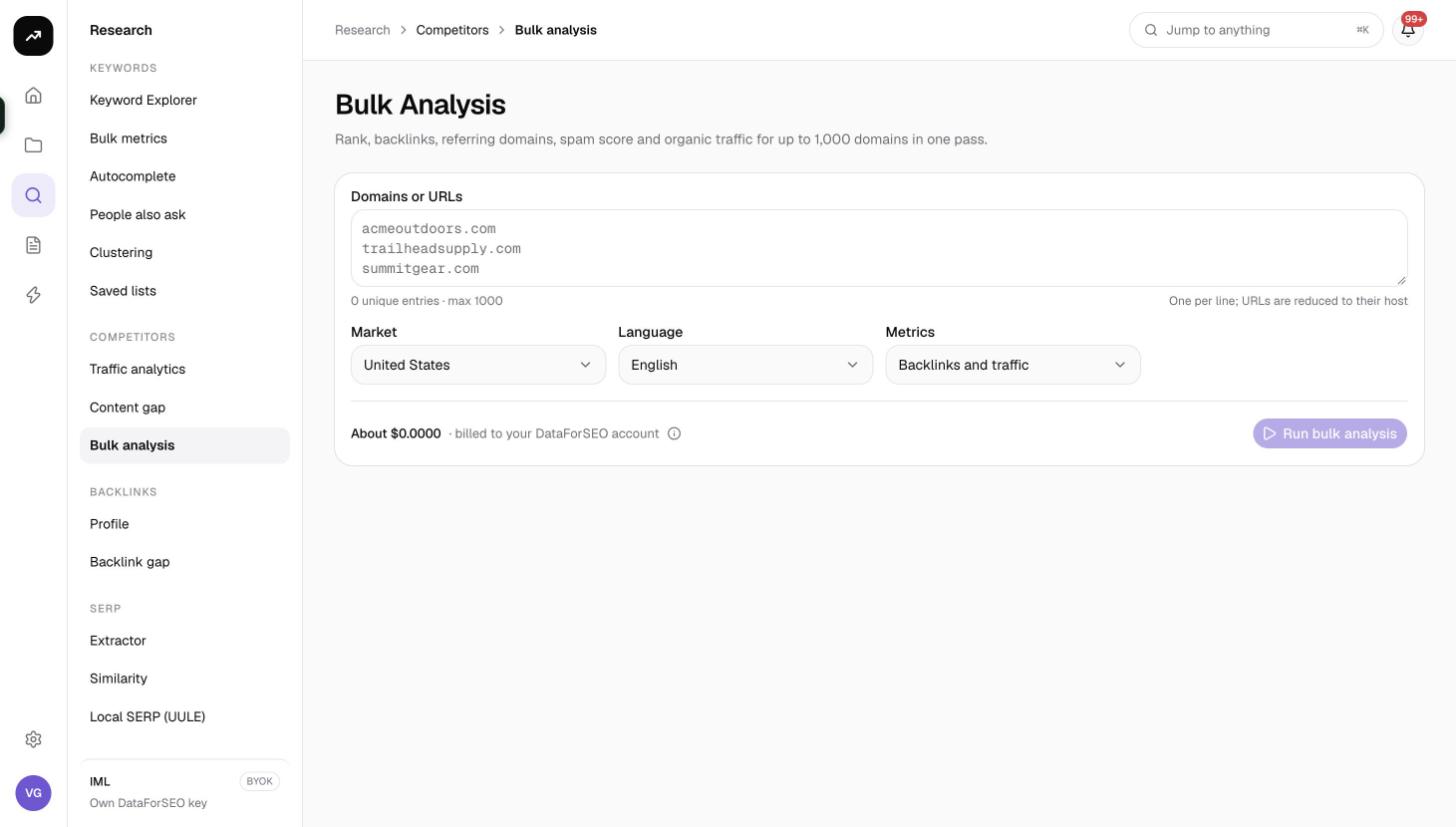
Bulk analysis is for lists of websites: link prospects, a client's competitor set, directories you are considering, or the domains in a backlink export. Paste up to a thousand of them and get authority, backlink counts, spam score and traffic estimates for every one in a single run, at a flat price.
What it does
For each batch of up to 1,000 domains, SmarterSEO runs four backlink lookups (domain rank, backlink count, referring domains and spam score) and one bulk traffic estimation in the chosen market. The results are combined into one sortable table. You can limit the run to backlink metrics or traffic metrics to save credits when you only need one side.
Before you start
- 1 to 1,000 domains or URLs, one per line. Full URLs are reduced to their host, so you can paste a backlink export or a list of pages and get one row per domain.
- Market and Language (defaults United States and English) apply to the traffic estimates only. Backlink metrics are global.
- Metrics:
| Option | What runs | Credits |
|---|---|---|
| Backlinks and traffic (default) | Rank, backlinks, referring domains, spam score and organic traffic | 50 |
| Backlinks only | Rank, backlinks, referring domains and spam score | 40 |
| Traffic only | Organic traffic, organic keywords and paid traffic | 10 |
- Role and credits. Viewers cannot run tools. The button is disabled when the estimate exceeds the balance.
- No Save to list. The output is domains, not keywords, so there is no list button; use CSV.
Step by step
- Open Research and choose Bulk analysis in the Competitors group (
/research/competitors/bulk). - Paste the list into Domains or URLs.
- Set the Market and Language if you need traffic for a market other than the US.
- Choose the Metrics you need.
- Check the cost line and click Run bulk analysis.
- The results page shows the status badge while the lookups run, then Ready. The URL is the permanent link to this run.
Reading the results
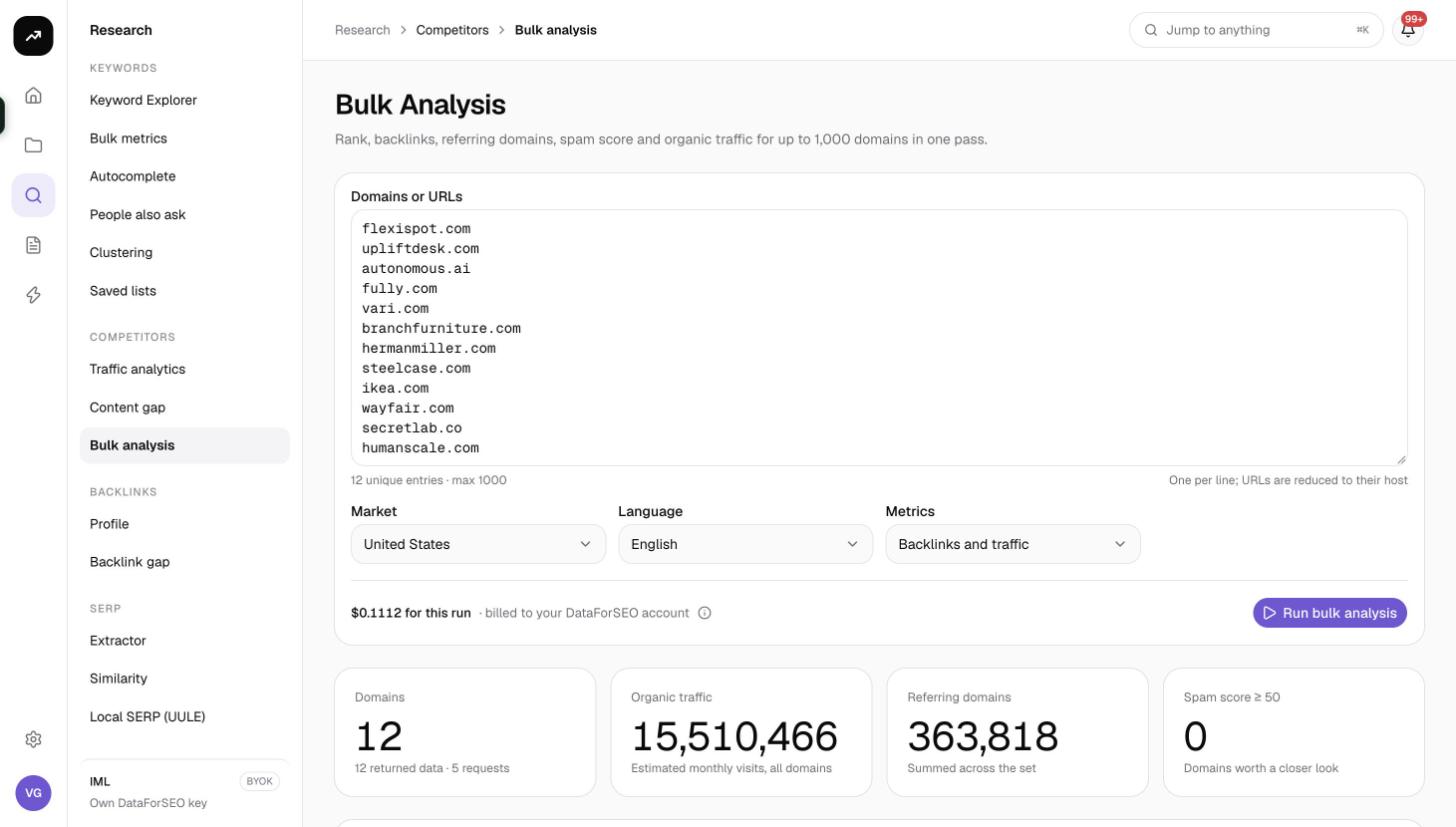
Tiles
- Domains: how many domains came back with data, with "N returned data · N requests" underneath.
- Organic traffic: the combined estimated monthly organic traffic of all domains.
- Referring domains: the combined referring domain count.
- Spam score ≥ 50: how many domains have a spam score of 50 or more, a quick toxicity check for a prospect list.
- Failed requests appears only when one or more of the underlying lookups failed.
Table
The table is sortable by clicking a column heading and opens sorted by Organic traffic, highest first:
| Column | Meaning |
|---|---|
| Domain | The host |
| Rank | Domain authority on a 0 to 1,000 scale |
| Backlinks | Total backlinks pointing to the domain |
| Ref. domains | Number of distinct referring domains |
| Spam | Spam score as a coloured pill; higher is worse |
| Organic traffic | Estimated monthly organic visits in the chosen market |
| Organic keywords | Number of ranking keywords in the chosen market |
| Paid traffic | Estimated monthly visits from paid search |
Columns that were not requested (for example traffic columns on a Backlinks only run) are empty.
- Filter domains narrows the table by host text.
- CSV downloads the table as shown.
- Pagination offers 25, 50, 100 or 250 rows per page (default 100), with "1–100 of N" and "Page X of Y" in the footer.
Costs
Cost: A flat 50 credits per run of up to 1,000 domains with both metric groups, 40 credits for Backlinks only and 10 credits for Traffic only. The price does not depend on how many domains you enter, so 20 domains cost the same as 1,000. Results are cached for 7 days.
The pre-run figure is an estimate and the charge is the measured cost. If some lookups fail, only what was fetched is billed.
Tips and gotchas
- Fill the batch. Because pricing is per run, combine lists before running. Splitting 1,200 domains into two runs costs twice as much as it needs to; trimming to 1,000 does not.
- Traffic only is cheap triage. Use it to drop dead domains from a prospect list, then run the survivors with Backlinks and traffic.
- Spam score is a hint, not a verdict. A high score flags a domain for a closer look in Backlink analytics; it does not prove the domain is harmful.
- Market affects traffic only. Rank, backlinks and spam are the same whichever market you choose, so there is no need to re-run for backlink metrics in another market.
- Hosts, not pages. Two URLs on the same domain collapse into one row. If you need page-level metrics, use the backlink tools.