Content outlines
Build a brief for a target keyword from the headings, length and questions of the pages that already rank, edit your own outline, draft it with AI and export it as Markdown or a WordPress draft.
A content outline reads the pages ranking for your target keyword and shows what they have in common: how long they are, which headings they share, and which questions searchers ask. You then assemble your own heading structure next to that evidence, set the meta title and description, and hand the result to a writer, to AI, or straight to WordPress as a draft.
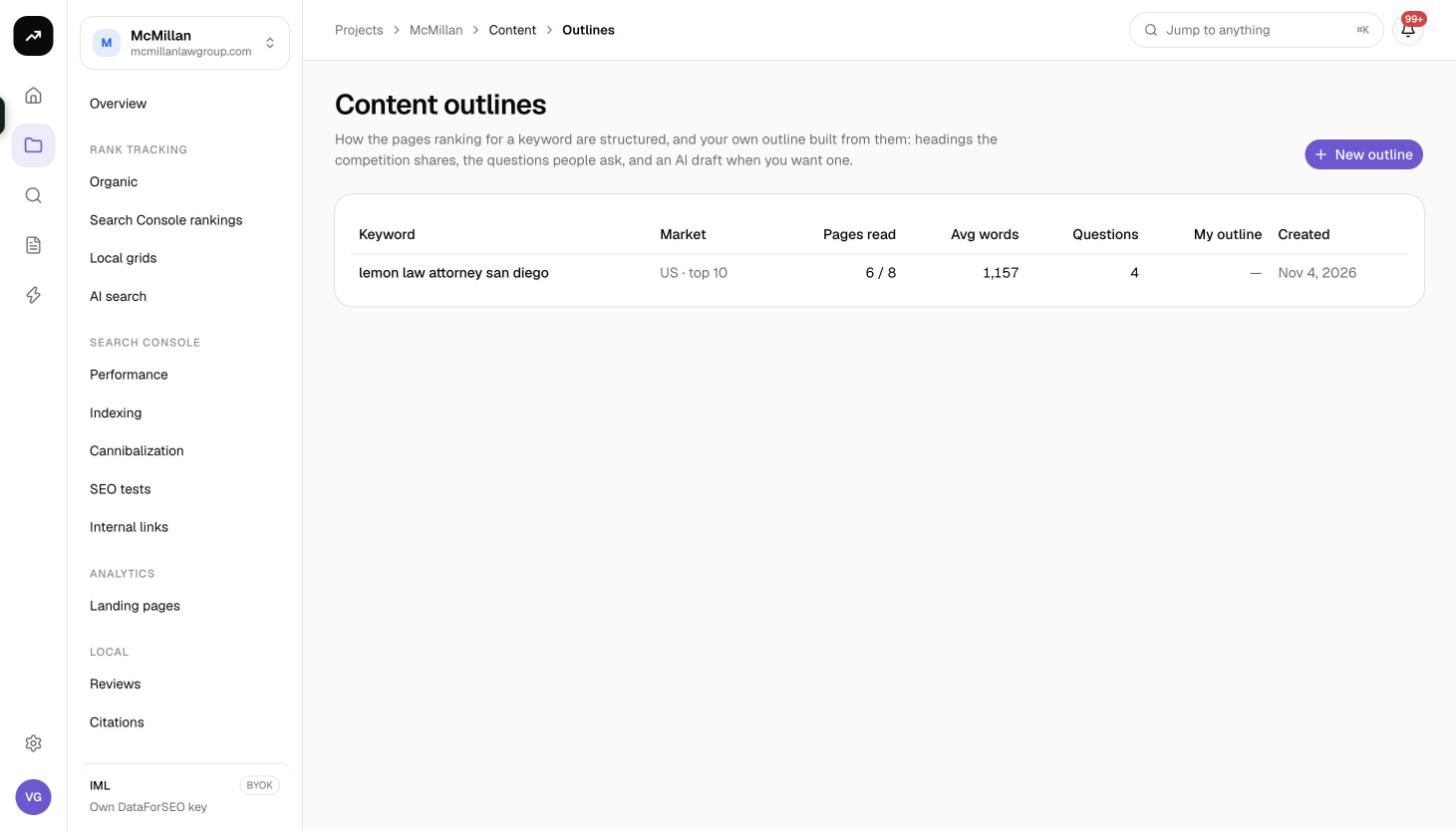
What it does
Each outline is a snapshot of the competition for one keyword in one market and language. SmarterSEO fetches the top 10 or top 20 results, reads each page, extracts its H1 to H4 headings, counts its words and collects the People also ask questions for the query. The right-hand My outline editor is yours: pick headings from the common list, type your own, reorder them and add notes.
Cost: One SERP lookup per outline: about 0.6 credits when reading 10 pages, about 1 credit for 20. Reading the pages themselves is free. Draft with AI costs 2 credits per AI call on a credit plan; on a lifetime license it is billed to your own Anthropic key instead. Screenshots in this guide were taken in a lifetime-license workspace, so some cost lines read "$0.00 · billed to your DataForSEO account".
Before you start
- Outlines live inside a project, under Content › Outlines. The project's domain is used as the default Ignore domains value so your own pages are left out of the analysis.
- You need the Member role or above. Viewers can read outlines but cannot create or edit them.
- To send drafts to WordPress, connect a site first; see WordPress drafts.
Creating an outline
- Open the project's Content › Outlines page and click New content outline.
- Fill in the form:
| Field | Options and default |
|---|---|
| Target keyword | The query you want to rank for. |
| Market | The country whose Google results to read. Defaults to the project's market. |
| Language | The language of the results. Defaults to the project's language. |
| Pages to read | 10 (default) or 20. Twenty gives broader heading coverage and a steadier average length. |
| Ignore domains | Defaults to your own domain, "so the outline reflects the competition". Add others, one per line, to skip aggregators or marketplaces. |
- Click the create button. The outline runs as a background job; the page refreshes itself when the pages have been read.
Reading the results
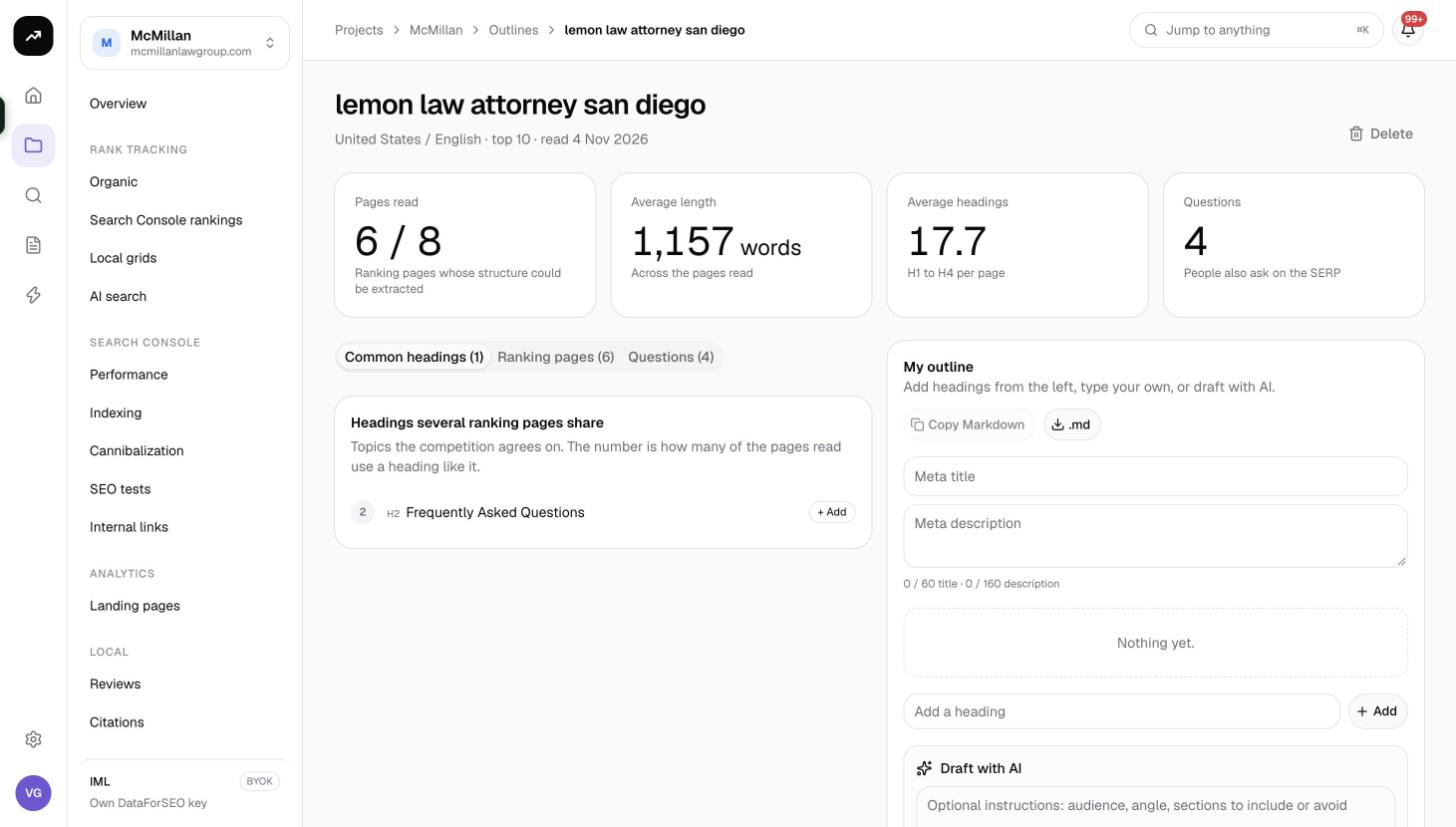
Tiles
| Tile | Meaning |
|---|---|
| Pages read | How many of the ranking pages could be fetched and parsed. |
| Average length | Mean word count across the pages read. A realistic target length for your draft. |
| Average headings | Mean number of H1 to H4 headings per page, a proxy for how structured the winning pages are. |
| Questions | Number of People also ask questions collected for the keyword. |
Tabs
- Common headings: headings that appear on several ranking pages, grouped by wording, with how many pages use each. Click one to add it to My outline. This is the fastest way to make sure you cover what every competitor covers.
- Ranking pages: the pages read, with their position, title, word count and heading count. Open any one to see its full heading tree and borrow the structure of the page you like best.
- Questions: the People also ask questions for the keyword. Add them as H2 or H3 headings to pick up the question-shaped searches.
My outline
The editor on the right is the deliverable. Its header reads "Add headings from the left, type your own, or draft with AI." until you add something.
- Meta title and Meta description fields sit at the top, with a live counter:
N / 60 title · N / 160 description. Stay under both limits to avoid truncation in results. - Each heading can be H2, H3 or H4. Use the row controls to move it up or down, promote or demote its level, remove it, or add a note for the writer (the angle, a statistic to include, a source to cite).
- Draft with AI writes a full draft from the outline. The optional instructions field accepts "audience, angle, sections to include or avoid". The draft is produced by Claude and appears under the outline for you to copy or edit. Each click is one AI call.
- Save outline stores your headings, notes and meta fields. The editor shows Unsaved changes until you do, and the WordPress button stays disabled with the hint "Save the outline first".
- Copy Markdown copies the outline (meta fields plus the heading tree and notes) to the clipboard. .md downloads the same content as a file.
- WordPress draft creates a draft post on a connected site, with the meta title as the post title, the meta description as the excerpt and the outline as HTML. If more than one site is connected, a WordPress site selector appears first. The confirmation reads "Draft created on {site}." with a link to edit it.
Suggested workflow
- Create the outline with 20 pages for anything competitive.
- Skim Ranking pages and note the average length and the structure of the top three.
- Add the Common headings that appear on half or more of the pages, then two or three Questions as H3s.
- Add one or two headings that no competitor has; that is where your page can be more useful.
- Write the meta title and description, keeping within the counters.
- Save, then Draft with AI with instructions about audience and tone, or export with Copy Markdown for a human writer.
Tips and gotchas
Tip: Keep the project's Brand names and domain up to date in project settings. The domain is what gets ignored by default, so a stale domain means your own page is counted as competition.
Warning: An AI draft is a starting point. Check facts, add your own examples and make sure every section has something the ranking pages do not.
- Market, language and page count are fixed once the outline is created. Run a new outline for a different market.
- The SERP lookup is cached for a while, so re-running the same keyword, market and language soon after costs nothing for the SERP.