Metadata audits
Read the title, meta description and H1 of up to 200 pages, flag missing, too long, too short and duplicate metadata, and rewrite the worst with AI or by hand.
A metadata audit fetches a set of your pages and checks each one's title tag, meta description and H1 against the usual rules: present, not too long, not too short, not duplicated across pages, and title distinct from the H1. Pages with issues can be rewritten ten at a time with AI, or edited by hand, and the whole audit exported as CSV for your developer or CMS import.
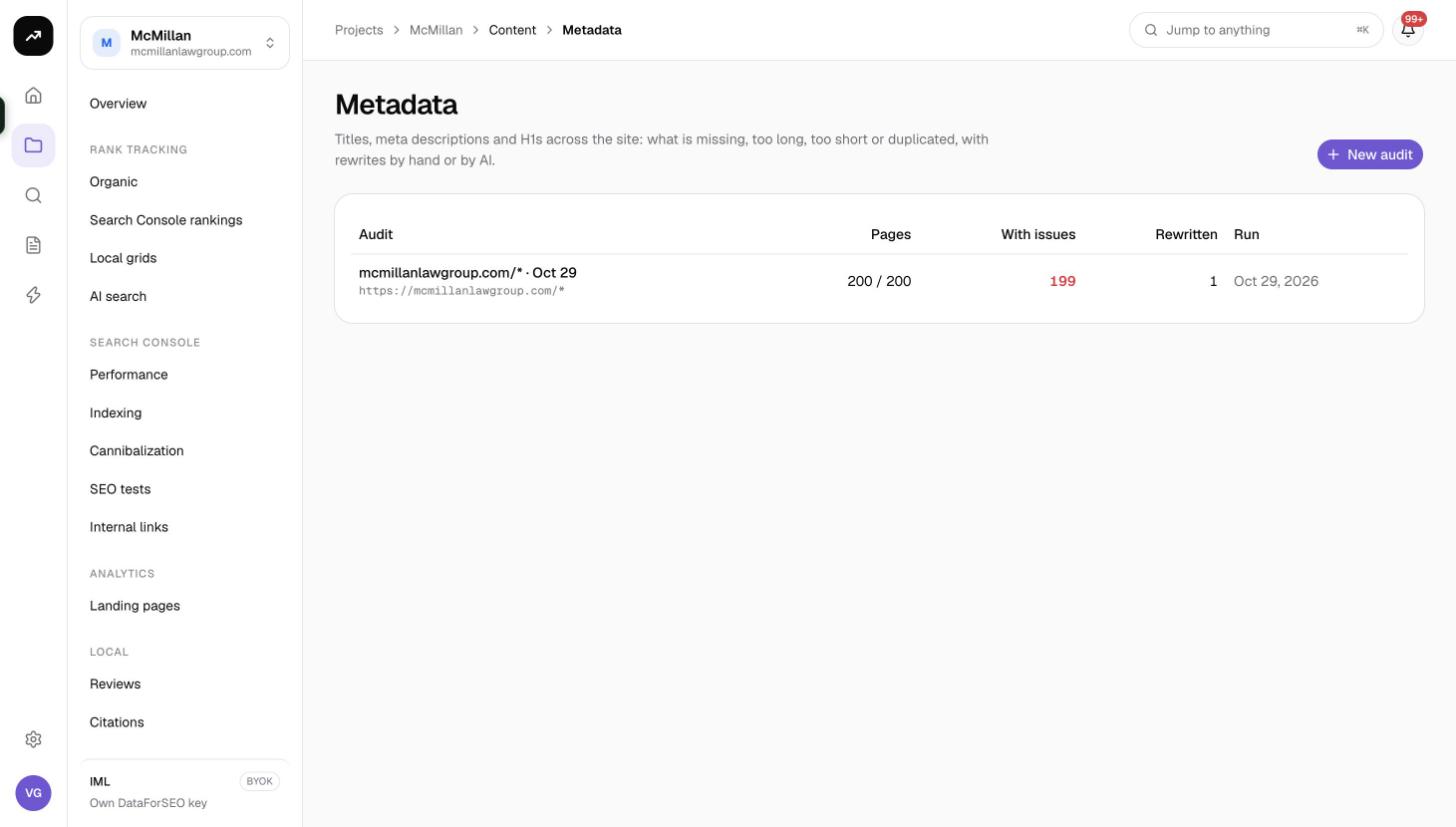
What it does
Metadata is the cheapest lever in SEO and the one most often left broken at scale. The audit gives you a complete, current inventory of what every page says in search results, and a queue of fixes. Every suggestion is labelled by AI or by you, so you can review AI output before it leaves the tool.
Cost: Reading pages is free, whatever the count. Rewrite with AI costs 2 credits per page rewritten on a credit plan; on a lifetime license it is billed to your own Anthropic key.
Before you start
- Audits live inside a project under Content › Metadata. The default page pattern uses the project's domain.
- Up to 200 pages per audit. Split a larger site by section.
- You need the Member role or above to create audits and run rewrites. Viewers can read results.
- For AI rewrites on a lifetime license, add an Anthropic key under Settings › Connections › AI providers. If none is present the panel says "Add an Anthropic API key under Settings → Connections → AI providers."
Creating an audit
- Open Content › Metadata in the project and click New metadata audit.
- Fill in the form:
| Field | What it takes |
|---|---|
| Pages, one per line | Full URLs, wildcard patterns or sitemap URLs. The default is https://{domain}/*, meaning every page found in the site's sitemaps. A sitemap URL is expanded to its pages. Up to 200 pages are read. |
| Instructions for AI rewrites (optional) | Guidance applied to every rewrite in this audit, for example "Keep the brand name at the end of every title" or "Write descriptions as a benefit plus a call to action". |
| Audit name (optional) | A label for the list. |
- Click the create button. While pages are being fetched the view shows Reading the pages: "Sitemaps are expanded and every page fetched for its title, meta description and H1. This page refreshes itself."
Issues checked
| Issue | Rule |
|---|---|
| No title | The page has no title tag. |
| Title over 60 | Title longer than 60 characters; likely truncated in results. |
| Title under 30 | Title shorter than 30 characters; probably not descriptive enough. |
| No description | No meta description; Google will pick its own snippet. |
| Description over 160 | Description longer than 160 characters. |
| Description under 70 | Description shorter than 70 characters. |
| No H1 | No H1 heading on the page. |
| Several H1s | More than one H1. |
| Duplicate title | The same title as another page in the audit. |
| Duplicate description | The same description as another page in the audit. |
| Title same as H1 | Title and H1 are identical; a chance to target a second phrasing is wasted. |
Reading the results
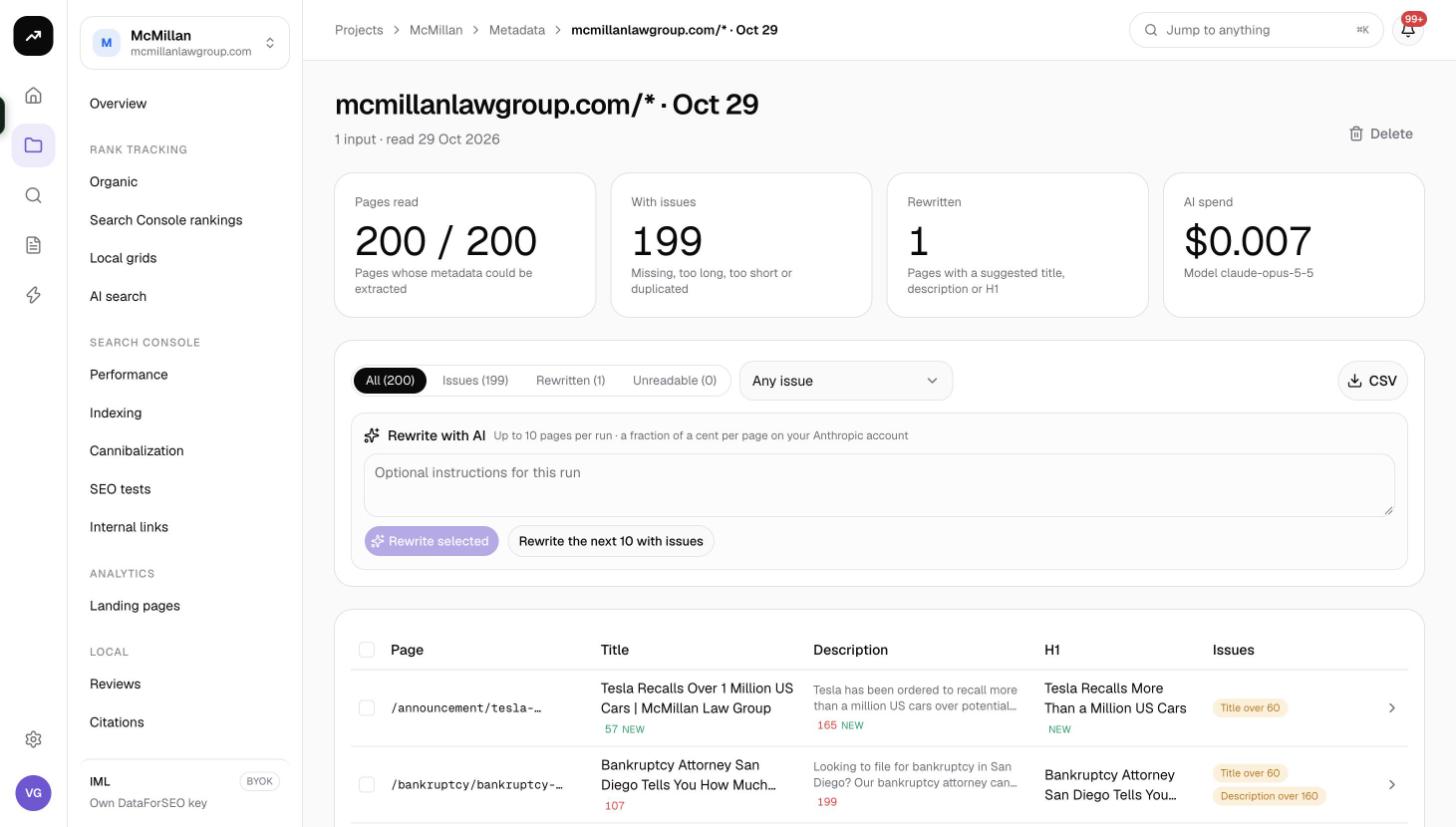
Tiles
| Tile | Meaning |
|---|---|
| Pages read | Pages whose metadata could be extracted, out of the pages requested. |
| With issues | Pages with at least one of the issues above: "Missing, too long, too short or duplicated". |
| Rewritten | Pages that have a suggested title, description or H1. |
| AI spend | Credits spent on rewrites in this audit, with the model used, or "No AI rewrite yet". |
Filters
A segmented control switches the table between All, Issues, Rewritten and Unreadable (pages that could not be fetched or parsed), each with its count.
Rewrite with AI
The Rewrite with AI panel sits above the table: "Up to 10 pages per run". It has an Optional instructions for this run field (on top of the audit-wide instructions) and two actions:
- Rewrite N selected: tick up to 10 rows in the table, then click. If you select more than 10, the first 10 are processed.
- Rewrite the next 10 with issues: let SmarterSEO pick the next ten pages that have issues and no suggestion yet. Repeat until the With issues count is handled.
When a run finishes, a line reports how many pages were rewritten, how many failed and the cost.
Per-page rewrite
Open any row to see the current title, description and H1 next to the suggested ones. You can edit the suggestion directly; the result is marked by you. Suggestions produced by the AI are marked by AI. Each page can carry a note.
Table
| Column | Meaning |
|---|---|
| Page | The URL. |
| Title | Current title tag, with its length and a colour for over or under the limit. |
| Description | Current meta description, with length. |
| H1 | Current H1 (and a count when there are several). |
| Issues | The issues found, as badges. |
CSV
The CSV export contains, per page: URL, Status, Title, Title length, Description, Description length, H1, H1 count, Words, Issues, New title, New description, New H1, Suggested by, Note. Hand the file to whoever applies the changes, or map New title and New description to your CMS import.
Tips and gotchas
Tip: Put your house style into the audit-level Instructions for AI rewrites once (brand suffix, tone, whether to use the pipe or the dash), and use the per-run field only for exceptions.
Note: Duplicate checks run within the audit. If you split a site across several audits, a title shared between two sections will not be flagged. Keep related templates in the same audit.
- Lengths are counted in characters. Google truncates by pixel width, so a title of 60 characters in capitals can still be cut short.
- Re-run the audit after deploying changes to confirm the With issues count fell. Fetching is free.
- To measure the effect of a batch of title rewrites on CTR, set up a time-based SEO test with the change date.