What is SmarterSEO?
A tour of the six parts of SmarterSEO, what projects, reports and jobs are, how you pay for data, and where to start.
SmarterSEO is an SEO workspace for agencies and in-house marketers. It brings keyword research, rank tracking, local grids, AI search visibility, competitor and backlink research, technical checks, Search Console and GA4 analytics, content tools, client reporting and automations into one app at app.smarterseo.com, with a REST API and an MCP server so the same tools run from your scripts or an AI agent.
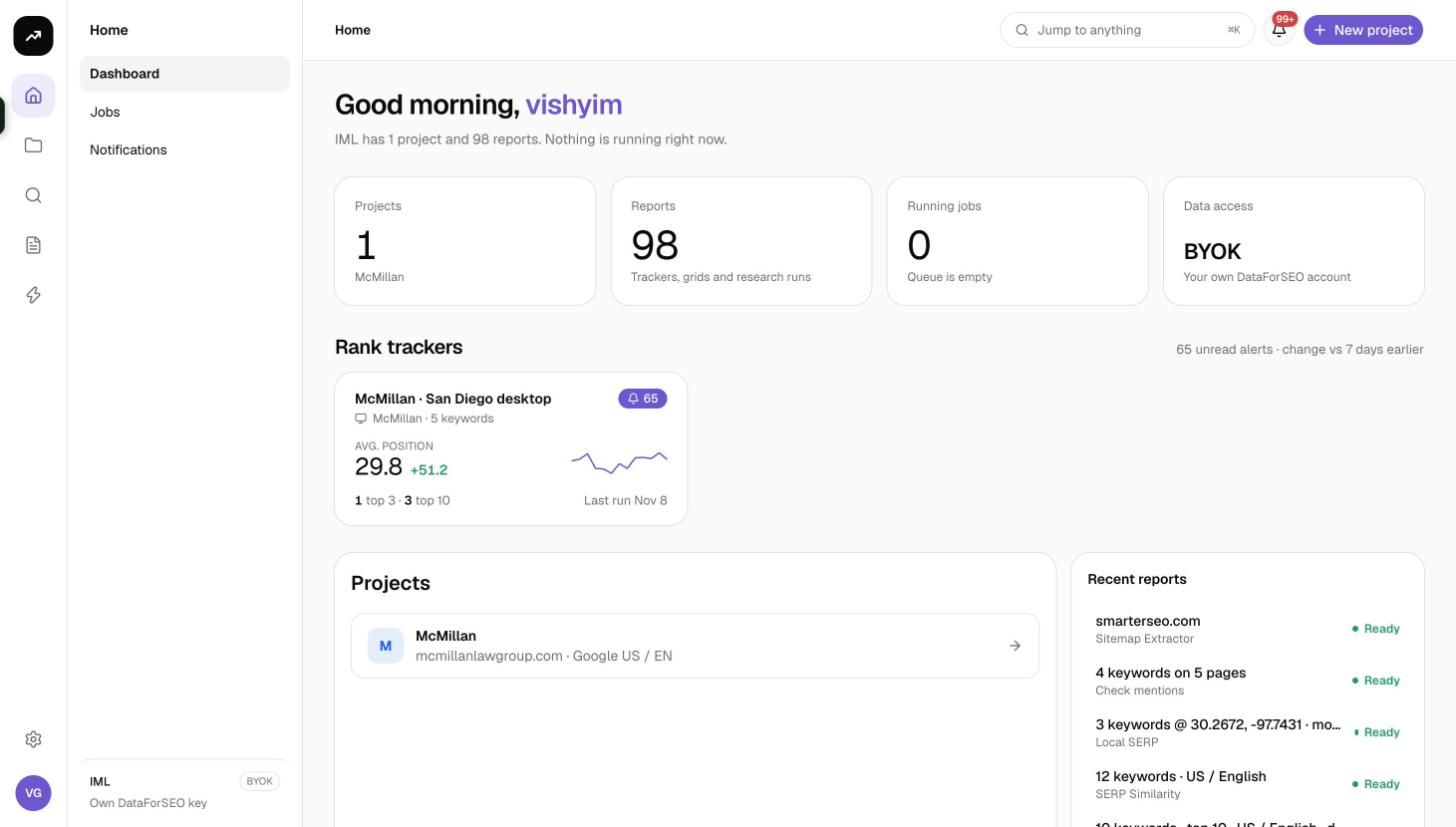
The six parts
SmarterSEO is organised around six jobs you do for a site. Every feature is on every plan; plans differ only in how much data they include and how many projects and seats you get.
| Part | What it covers |
|---|---|
| Research | Keyword Explorer with clustering and People Also Ask, competitor traffic, content gap and backlink profiles. |
| Track | Daily rankings with a SERP archive, local map grids, Search Console history and AI search mentions. |
| Fix | Log files, IndexNow, indexing status, internal links, metadata rewrites and content outlines. |
| Report | White-label share links and automations that email clients when a run completes. |
| Automate | A REST API and an MCP server: every research tool from scripts, Claude or any MCP client. Content outlines can be pushed to WordPress as drafts. |
| Pay your way | Monthly credit plans starting free, or a one-time lifetime license that uses your own data provider account. |
Research
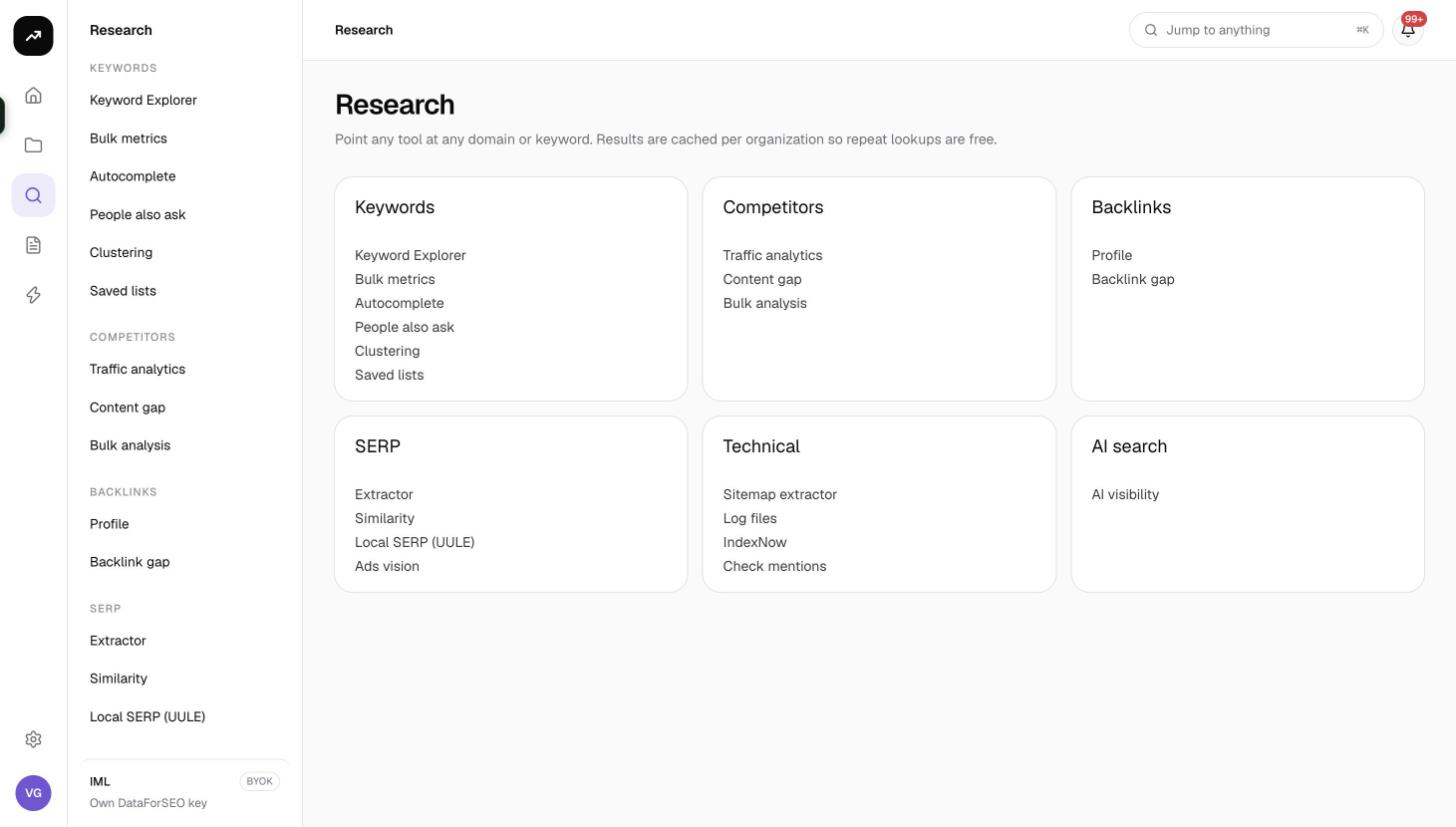
The Research hub is the starting point for anything that is not tied to a project: point any tool at any domain or keyword. Tools are grouped into Keywords, Competitors, Backlinks, SERP, Technical and AI search. Results are cached per organization, so repeating a lookup within the cache window costs nothing.
Track
Tracking lives inside a project. An organic rank tracker checks your keywords on a schedule and keeps the SERP for every check. Local grids scan map-pack positions across a grid of points around a business. Search Console trackers follow query positions from your own Google data, and AI search trackers watch whether AI Overviews, ChatGPT and Gemini mention or cite your brand.
Fix
Technical tools cover log file analysis, IndexNow submissions, a sitemap extractor and a brand mention check, plus indexing status, cannibalization and internal link suggestions driven by Search Console. Content tools build outlines from top-ranking pages and audit page metadata in bulk.
Report and automate
Every tracker, grid and Search Console view can be shared with a client through a read-only link that carries your branding. Automations fire when a tracker run finishes or an alert triggers, sending an email with a client link or calling a webhook.
Organizations, projects, reports and jobs
Four words come up everywhere in the app:
- An organization (also called a workspace) is the top level. Projects, billing, credits and teammates all live under it. You can belong to several; see Workspaces and organizations.
- A project is one site or brand. It holds the domain, default market, language, search engine, device and brand names that trackers, Search Console views and content tools inherit. See Projects.
- A report is anything that produces results: every research run, every rank tracker, grid, AI tracker, log file report and IndexNow site. The Reports page lists them all with status, schedule and cost.
- A job is one unit of background work. Each tool run and each scheduled check is a job with live progress, a log and up to three automatic attempts. See Jobs, reports and notifications.
Two ways to pay
Most tools fetch search data, and that data has a cost. You cover it in one of two ways.
Credits are the default. Every organization starts on the Free plan with 200 credits a month, and monthly plans from Lite to Agency add more credits, projects and seats. One credit is about half a cent of search data. Each tool shows an estimate before it runs ("About N credits · billed to your SmarterSEO credits"); the actual charge is the measured data cost, and cached repeats are free. Credit packs top up the balance at any time and never expire.
The lifetime license is a one-time purchase that switches the organization to bring-your-own-key mode. Search data then bills your own DataForSEO account, estimates are shown in dollars, and credits from packs only pay for AI features such as outlines and rewrites.
Note: Screenshots in this knowledge base were taken in a lifetime-license workspace, so some cost lines read "$0.00 · billed to your DataForSEO account". On a credit plan the same line shows credits.
See Plans and pricing, Credits explained and Bring your own key.
Where to start
- Create your account and name your organization. The Free plan needs no card.
- Create a project for the site you work on: name, website, market, language, search engine and device.
- Run a research tool from the Research hub to see how runs, results and credits work.
- Set up an organic rank tracker from the project overview, or connect Google to pull Search Console and GA4 data for free.
- Invite teammates under Settings › Members once your plan has the seats, and add your branding before sharing a report with a client.