Google reviews
Collect every review of a Google Business listing on a schedule, see what is new, replied to or removed, follow the rating trend and get alerted to low ratings.
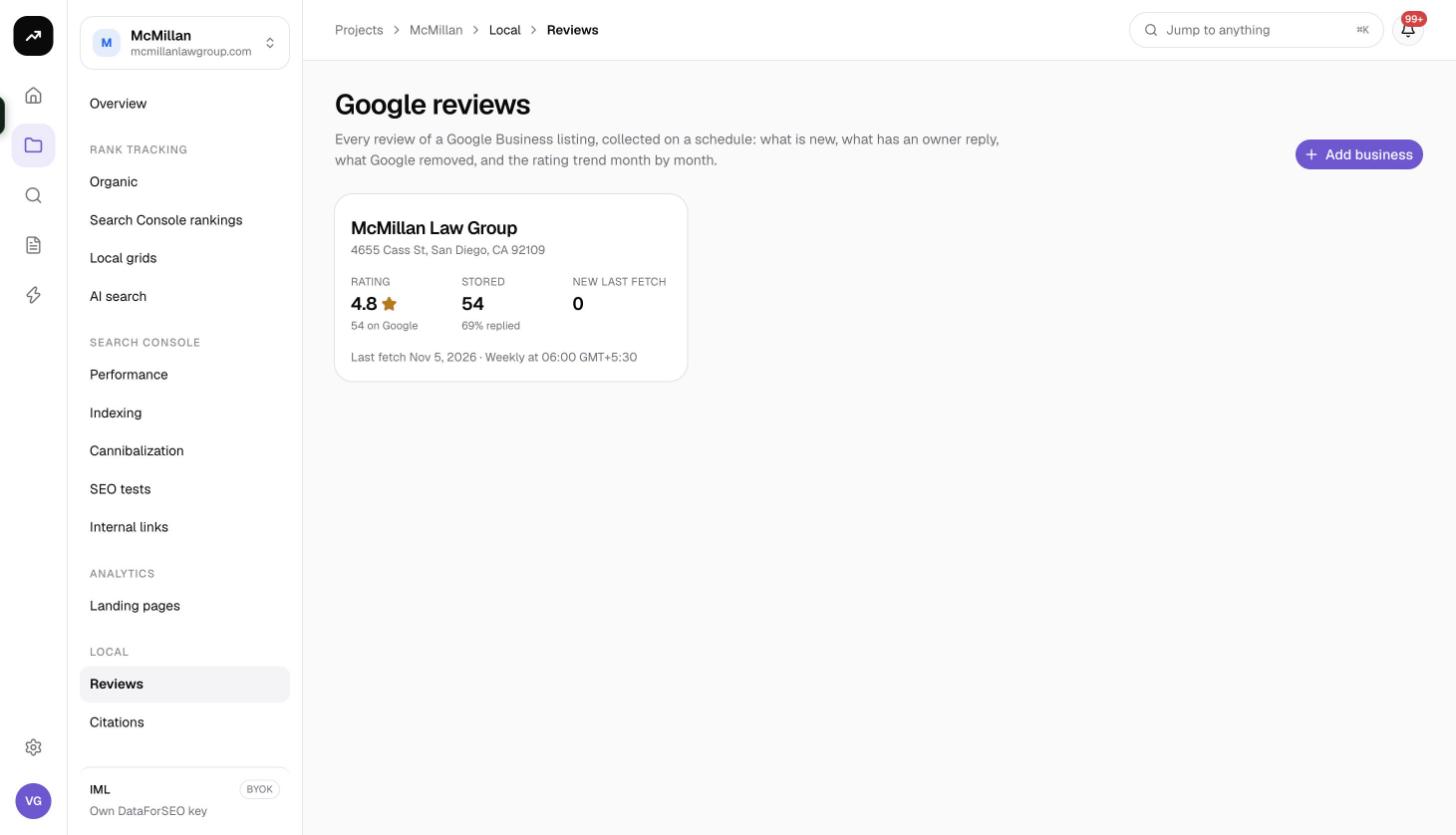
Google reviews tracking collects every review of a Google Business listing on a schedule and keeps it: what is new since the last fetch, what has an owner reply, what Google has removed, and how the rating trends month by month. It works for your own listings and for competitors, since it reads the public listing rather than your Business Profile account.
Before you start
- Reviews live inside a project under Local › Reviews.
- No Google Business Profile connection is needed. The listing is found through a Google Maps lookup.
- Viewers cannot add businesses or fetch reviews.
Add a business
Click Add business to open the Track Google reviews dialog.
1 · The business
Type the business name and a location, click Find on Google Maps and pick the listing, as for a local grid. One paid Maps lookup is made.
2 · What to fetch
| Field | Options | Default |
|---|---|---|
| Name | The label shown in lists and notifications | The business name |
| First fetch collects | 50, 100, 200, 500, 1,000, 2,000 newest, or Everything (up to 4,490) | 100 |
| Later fetches collect | Automatic, or 20, 50, 100, 200, 500 or 1,000 newest | Automatic |
| Track disappearing reviews | On or off | Off |
| Queue | Standard · results within about 45 minutes or Priority · within about a minute, double price | Standard |
| Low-rating alert at | 1★ to 4★ or below | 3★ |
Automatic fetches "Twice what the last fetch found new, at least 20", and never more than the first-fetch amount, so a quiet listing costs little while a busy one keeps up.
Track disappearing reviews fetches the full list on every run and marks reviews that Google no longer shows as missing, and as back when they return. It costs more on busy listings because every run reads everything.
3 · Schedule
Weekly by default, with a start hour and timezone. Leave Fetch reviews now ticked and click Add business.
Costs
Cost: 0.4 credits per 10 reviews fetched. A first fetch of 100 reviews is 4 credits; 1,000 reviews is 40. The priority queue doubles the price. With Automatic later fetches, a listing that gains five reviews a week costs about 0.8 credits a week. The business lookup is one paid Maps request.
Estimates are shown before the run; the debit is the measured data cost. On a lifetime license the dialog shows the dollar cost per 10 reviews billed to your own data account.
Reading the business page
Fetch now in the top bar starts a fetch immediately and reads Fetching… while it runs.
Reviews tab
Tiles:
- Rating on Google: the listing's current rating.
- Reviews stored: how many you hold, split into visible, missing and the count Google reports.
- New in last fetch, with the number of low-rated ones.
- Owner replies: the share of stored reviews with a reply.
- Last 30 days: reviews received in the last month.
Rating mix shows the count per star level; click a star level to filter the list.
Find reviews filters: free-text search, rating, With owner reply or No owner reply, Visible on Google or Missing from Google, and "first seen" in a specific fetch, which is how you list exactly what a given run brought in.
Each review card shows the reviewer, rating, date and text, badges for Local Guide, New, Missing since, Back and Low rating, and the owner reply or "No owner reply yet".
Export CSV downloads the filtered list, up to 5,000 rows, with the columns Review ID, Rating, Date, Reviewer, Local guide, Reviewer reviews, Review, Owner reply, Owner replied on, Status, First seen, Last seen, Missing since, Back since and Review URL.
Trend & fetches tab
- Reviews per month: a chart of review count and average rating by month, built from the review dates, so it covers the listing's history and not just the time you have tracked it.
- Fetches table: Date, Status (Waiting in queue / Complete / Failed), Asked, Fetched, New, Low, Missing, Back, Google rating and Cost.
Settings tab
The fetch options, the schedule and Delete. The listing itself is fixed once added; to follow a different listing, add it as a new business.
Alerts and automations
After each fetch you receive a notification: "{name}: N low-rating reviews" when any new review is at or below your Low-rating alert at rating, otherwise "{name}: N new reviews".
The reviews.run automation event fires after every fetch, with two optional conditions: Only when the fetch found new reviews and Only when a new review is at or below the alert rating. Pair the second with an email or webhook step to get a same-day heads-up on bad reviews. See Automations.
Skipped fetches
If a scheduled fetch comes due and the balance cannot cover it, the fetch is skipped and you receive a notification. Review tracking never pauses itself. See Running out of credits.
Tips and gotchas
- Start with a first fetch of 100 to 200 and Automatic afterwards; only choose Everything when you need the full history for a rating-trend report.
- Turn on Track disappearing reviews for a listing you suspect is losing reviews to Google's filters; leave it off for competitors you only monitor casually.
- The standard queue returns within about 45 minutes. Pick Priority only for a live client call.
- Review tracking is not included in client share pages; use a CSV export or an automation to send reviews to clients.