Cannibalization
Find the queries where two or more of your pages compete for the same impressions, ranked by severity, with the leading page, runner-up and day-by-day leader changes.
Cannibalization lists the queries where more than one of your pages took impressions, so you can decide which page should own each query and consolidate, redirect or re-target the others. It is built entirely from your synced Search Console data and refreshes with every nightly sync.
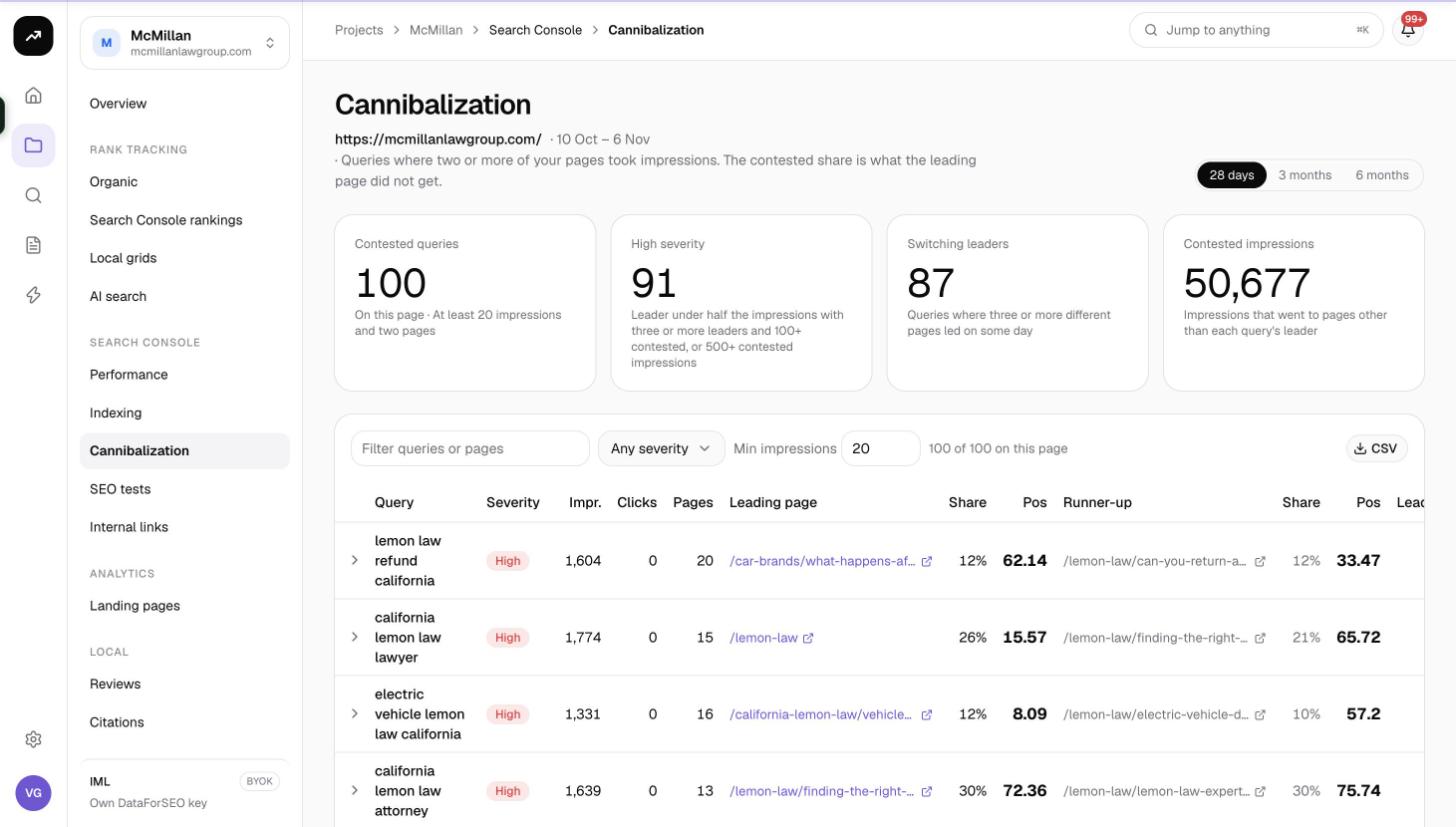
What counts as a contested query
The page defines it at the top: "Queries where two or more of your pages took impressions. The contested share is what the leading page did not get." For each query in the range, SmarterSEO works out which page had the most impressions (the leader), which came second (the runner-up), how many different pages led on different days, and how many impressions went to pages other than the leader (the contested impressions).
A query where one page takes 95% of impressions and another takes 5% is technically contested but rarely a problem. The severity rules below separate the ones worth acting on.
Cost: Free. The analysis runs on data already synced from Search Console.
Before you start
- The project needs a linked Search Console property with at least a few weeks of history. See Connect Google Search Console and GA4.
- A query only appears if it reached the Min impressions threshold (default 20) in the selected range.
Choosing the range
- Pick a range: 28 days, 3 months or 6 months. Longer ranges surface slow-burning conflicts; 28 days shows what is contested right now.
- Adjust Min impressions if you want to include or exclude low-volume queries. The default is 20.
- Use the text filter to narrow by query or page, and the severity filter to show only high, medium or low rows.
Reading the results
Tiles
| Tile | Meaning |
|---|---|
| Contested queries | Number of queries in the range with two or more pages taking impressions above the threshold. |
| High severity | Queries where the leader has under half the impressions with three or more leaders and 100+ contested impressions, or where contested impressions reach 500+. These are the ones to fix first. |
| Switching leaders | Queries where three or more different pages have been the day's leader during the range. Google cannot settle on one page. |
| Contested impressions | Total impressions that did not go to the leading page across all contested queries. |
Table
| Column | Meaning |
|---|---|
| Query | The search term. |
| Severity | high, medium or low, from the rules above. |
| Impr. | Total impressions for the query across all your pages. |
| Clicks | Total clicks. |
| Pages | How many of your pages took impressions. |
| Leading page | The page with the most impressions. |
| Share | The leader's share of the query's impressions. |
| Pos | The leader's average position. |
| Runner-up | The page with the second-most impressions. |
| Share | The runner-up's share. |
| Pos | The runner-up's average position. |
| Leaders | How many different pages led on at least one day. |
| Contested | Impressions that went to pages other than the leader. |
Expanded row
Click a row to expand it. You get:
- A day strip coloured by which page led on each day, so you can see whether the leader is stable or flipping back and forth.
- A page table listing every page that took impressions, with Share, Impr., Clicks, Pos, and First / Last seen dates. A page that was last seen weeks ago has probably already been resolved by Google.
- A Track in {tracker} button that adds the query to one of the project's rank trackers so you can watch the outcome of your fix. See Keywords, tags and competitors.
Use CSV to export the filtered table.
Deciding what to do
- Stable leader, weak runner-up: usually fine. If the runner-up is a thin or near-duplicate page, redirect or canonicalise it to the leader to consolidate signals.
- Switching leaders: Google sees both pages as equally relevant. Pick one, make it the clear answer for the query, and de-optimise the other (change its title and H1, link from it to the chosen page).
- Leader under half, many pages: a topic covered by several partial articles. Merge them into one page and redirect the rest.
- Different intents: sometimes two pages legitimately rank for one query (a product and a guide). If both convert, leave them; if only one does, link from the other prominently.
Tips and gotchas
Tip: Sort by Contested rather than by impressions. A query with 2,000 contested impressions is costing you more than a 10,000-impression query where the leader already takes 95%.
Note: Severity is computed from impressions, not clicks. A high-severity query can still have a healthy click total when both pages sit on page one; check Pos on the leader and runner-up before merging.
- The Pages count on the Performance Queries tab is a quick way to spot candidates; this page tells you how serious each one is.
- After fixing, give Google a few weeks and re-check with the 28 days range. Day strips should turn a single colour.